
Overview
This plugin is used to integrate a Brightcove Player with Kollective eCDN.
There are a number of docs from Brightcove's Integrations web site that pertain to Kollective eCDN. They are:
- Kollective eCDN landing page
- Kollective eCDN Deployment Guide
- Installing the Kollective Player Plugin (content very similar to this document)
- Kollective eCDN User Guide
Implement using Players module
To implement the plugin in Studio's Players module, use the following steps:
- In Studio, select the Players module.
- Click the player to which you wish to add the Kollective eCDN plugin.
- Expand the Plugins section on the Overview tab.
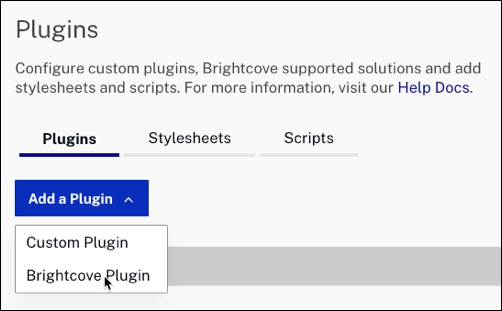
- Click Add Plugin > Brightcove plugin.
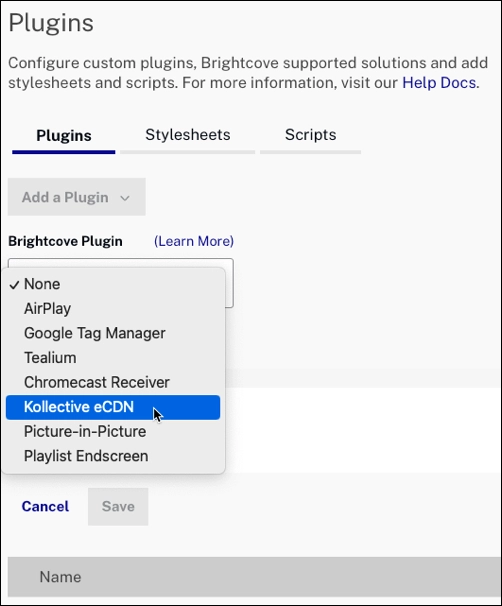
- From the dropdown, select Kollective eCDN.
- Enter configuration Options, if using any, in JSON format. An example is shown.
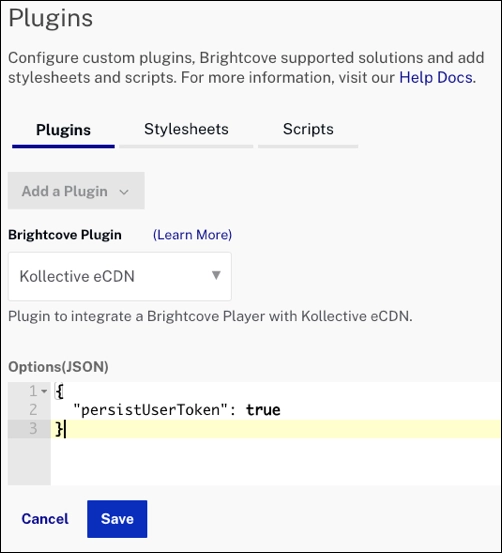
- Save then publish your player.
Note that you can also simply edit a player's JSON to implement the plugin. The follow steps guide you through that process:
- In Studio, select the Players module.
- Click the player to which you wish to add the Kollective eCDN plugin.
- Expand the JSON Editor section on the Overview tab.
- To the plugins section, add the following.
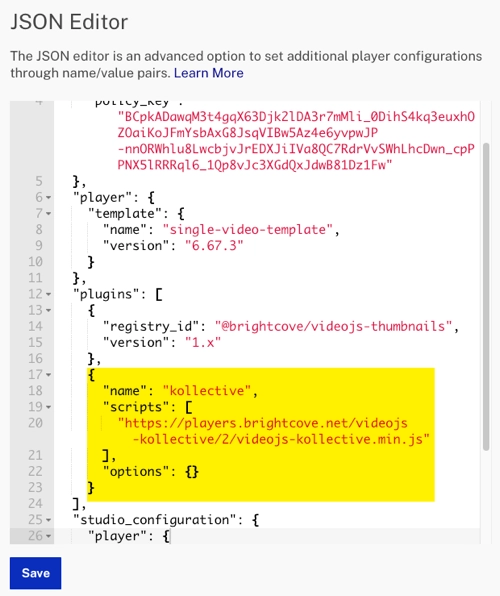
- Save then publish your player.
Implement with JSON Editor
For players 7.28.0 and newer, you can also follow these steps to add the plugin using the JSON editor:
In the Players module, navigate to the player you want to configure and click the JSON Editor accordion on the Overview tab.
Modify the "plugins" array to add the Kollective eCDN plugin.
    "plugins": [
    {
      "name": "kollective",
      "is_packaged": true,
      "options": {
        ...
      }
    }
  ]
Options
The items listed below are plugin options are used when configuring the Kollective eCDN plugin.
- ksdkUrl: Used to provide a URL to a specific version of the Kollective SDK (KSDK). If unset, Kollective's latest version is used. If the KSDK is included in-page before the player, this option can be left off.
- persistUserToken: If true, this saves/retrieves the otherwise randomly generated user token to localstorage.
Methods
There is one method available for use with the Kollective eCDN plugin:
- loadVideo(videoId): Loads a single video by its ID or ref ID.
- Data type is
string. - Returns a promise, which resolves when the Brightcove Playback API responds.
myPlayer.kollective().loadVideo('1234567890').then(data => {
  // Playback API request is complete, but KSDK.load might not be complete!
});
- Data type is